
Medical imaging has become a central part of modern healthcare. Hospitals, diagnostic centres, radiology departments, and teleradiology providers handle a large volume of X-rays, CT scans, MRIs, ultrasounds, and other medical images every day. Managing these images efficiently is no longer only about storing files. Healthcare providers also need quick access, smooth reporting, secure data management, easy collaboration, and reliable workflows.
This is where a Cloud PACS (Picture Archiving and Communication System) becomes valuable.
Instead of depending entirely on local servers and physical storage, cloud-based PACS allows authorized healthcare professionals to access and manage medical images through a connected digital environment. However, with several solutions available in the Indian healthcare technology market, choosing the Best Cloud PACS Software in India requires more than comparing prices.
The right PACS should match the actual workflow of your hospital or diagnostic centre.
From DICOM viewing and reporting to integration, accessibility, scalability, and support, there are several important features that should be evaluated before making a decision.
What Is Cloud PACS Software?
Cloud PACS software is a medical imaging management system that stores and manages imaging data in a cloud-based environment.
PACS stands for Picture Archiving and Communication System. It is designed to help healthcare organizations store, view, retrieve, share, and manage medical images digitally.
A traditional PACS setup may require significant local infrastructure, servers, maintenance, and dedicated IT resources. A cloud PACS solution can reduce dependence on on-site infrastructure and make image access more flexible.
For hospitals and diagnostic centres, this can support workflows where radiologists, clinicians, technicians, and other authorized users need access to imaging information from different locations.
But cloud-based does not automatically mean better. The important question is whether the platform provides the right combination of performance, usability, security, integration, and scalability.
Why Are Healthcare Providers Looking for Cloud PACS in India?
Healthcare organizations are handling increasing amounts of digital imaging data. At the same time, radiology workflows are becoming more distributed.
A radiologist may need to report from another location. A hospital may have multiple departments or branches. A diagnostic centre may need to share studies with specialists. Clinicians may need access to reports and images without depending on physical CDs or films.
A cloud PACS can help address these requirements by creating a centralized environment for medical imaging.
For example, Nandico provides cloud-based PACS capabilities for radiologists, teleradiology companies, hospitals, medical colleges, and high-volume healthcare institutions. Its institutional PACS focuses on areas such as HIS integration, DICOM viewing, reporting, remote access, data management, and reducing manual workflow.
The key, however, is knowing what to compare before selecting a platform.
Key Features to Compare in the Best Cloud PACS Software in India
1. Cloud-Based Accessibility
One of the biggest reasons healthcare providers choose cloud PACS is accessibility.
A modern PACS should allow authorized users to access relevant imaging data without being restricted to one workstation or physical location.
This is particularly useful for:
- Radiologists working remotely
- Multi-location diagnostic centres
- Hospitals with multiple departments
- Teleradiology teams
- Specialists providing second opinions
- Medical colleges and teaching institutions
When comparing cloud PACS solutions, check whether the platform supports remote access effectively and whether the user experience remains practical across different devices and network conditions.
Nandico’s cloud-based PACS is designed for remote access, with a zero-footprint DICOM viewer intended to simplify access without lengthy local installation requirements.
2. A Powerful DICOM Viewer
The DICOM viewer is one of the most important parts of any PACS.
Simply storing medical images is not enough. Radiologists need tools that allow them to review studies efficiently and work with diagnostic images comfortably.
When comparing PACS software, evaluate:
- Image loading speed
- High-resolution image display
- DICOM compatibility
- Navigation between studies
- Image manipulation tools
- Performance with large studies
- Overall ease of use
A slow or difficult viewer can affect the daily workflow of radiologists.
Nandico highlights its robust DICOM viewer as a core component of its cloud PACS, designed to support radiologists in processing cases efficiently.
3. Reporting Features
A PACS should not exist separately from the reporting workflow.
Radiologists need to review images and create reports as part of the same overall process. Therefore, reporting capabilities should be considered carefully when evaluating the Best Cloud PACS Software in India.
Look for features such as:
- Customizable reporting templates
- Easy report creation
- Report editing
- Standardized workflows
- Typing and dictation options
- Easy access to previous studies
- Report sharing
Nandico’s reporting platform supports customizable templates and shortcuts and allows users to type or dictate reports remotely.
This type of integration between image review and reporting can reduce unnecessary switching between multiple systems.
4. HIS and Other System Integration
Healthcare organizations rarely use PACS as their only software system.
Hospitals may already have a Hospital Information System (HIS), Radiology Information System (RIS), or other digital platforms. If these systems do not communicate properly, staff may need to enter the same information repeatedly.
This can increase manual work and create opportunities for errors.
Therefore, integration should be an important consideration.
Before selecting a cloud PACS, ask:
- Can it integrate with the existing HIS?
- Does it support relevant healthcare data standards?
- Can patient information flow into the imaging workflow?
- Can integration reduce duplicate data entry?
- How easily can the system fit into the existing infrastructure?
Nandico’s institutional PACS supports integration with HL7-compliant HIS systems, helping users access patient records and history while reducing manual intervention.
5. Centralized Dashboard and Workflow Management
As imaging volumes increase, managing cases manually becomes difficult.
A centralized dashboard can provide administrators and authorized users with greater visibility into case progress.
This becomes particularly important for teleradiology companies and healthcare organizations working across multiple centres.
A useful dashboard should help with:
- Case tracking
- Workflow monitoring
- User management
- Reporting status
- Administrative controls
- Communication between teams
Nandico provides a centralized administrative dashboard that allows remote tracking of case progress and is designed to reduce communication delays.
For organizations handling a high number of cases, workflow visibility can be just as important as image storage.
6. Scalability for Growing Healthcare Organizations
A PACS that works for a small diagnostic centre may not be suitable for a hospital network.
Your imaging requirements may increase as your organization adds:
- More radiologists
- More diagnostic centres
- More imaging modalities
- More patients
- More departments
- More locations
Therefore, scalability should be considered before selecting a solution.
Ask whether the PACS can support increasing numbers of users, centres, studies, and storage requirements without forcing the organization to completely replace its system.
Cloud infrastructure can be useful here because organizations can adopt a model that grows with their operational needs.
Nandico offers different subscription levels for organizations ranging from individual centres to larger multi-centre operations, illustrating the importance of matching PACS capacity with organizational scale.
7. Data Storage and Retrieval
Medical imaging generates significant amounts of data.
CT and MRI studies, in particular, can contain large numbers of images. A PACS therefore needs dependable storage and practical retrieval.
When comparing cloud PACS solutions, consider:
- Storage duration
- Retrieval speed
- Backup approach
- Data accessibility
- Storage expansion
- Long-term data management
- Cost of additional storage
The objective should not simply be to store more data. Healthcare professionals should also be able to retrieve the required study efficiently when it is needed.
Nandico’s institutional PACS includes cloud-based data management and storage, with its platform describing immediate retrieval and an OPEX-based storage model.
8. Security and Access Control
Medical imaging contains sensitive patient information. Security should therefore be a fundamental consideration when evaluating any cloud PACS.
Healthcare organizations should understand how a provider manages:
- User authentication
- Access permissions
- Data transmission
- Data storage
- User roles
- Administrative controls
- Backup and recovery
Not every user should necessarily have the same level of access.
A good PACS should provide appropriate controls so organizations can manage who can access patient information and what actions different users are authorized to perform.
Instead of choosing software only because it is cloud-based, healthcare organizations should evaluate the provider’s security practices and compliance requirements as part of the buying process.
9. Digital Sharing and Collaboration
Modern radiology often involves collaboration.
A radiologist may need to share imaging information with a clinician. A patient may need digital access to their study. Another specialist may need to review a case for a second opinion.
Digital sharing can reduce dependence on physical films and CDs while making collaboration more convenient.
Nandico’s platform addresses digital sharing as part of its broader PACS ecosystem, including the ability to share digital imaging information rather than relying entirely on physical copies.
When comparing solutions, look at how easily studies, reports, and relevant information can be shared while maintaining appropriate access controls.
10. Ease of Installation and Use
Healthcare software should make workflows easier, not create another layer of complexity.
A technically advanced PACS may still create problems if staff require extensive training to use it.
Consider:
- Installation process
- User interface
- Training requirements
- Daily usability
- Technical support
- Onboarding process
- Troubleshooting
Nandico states that its cloud-based teleradiology PACS uses a zero-footprint viewer and is designed for quick installation, helping reduce the complexity associated with traditional software deployment.
For organizations with limited IT resources, ease of deployment can be an important purchasing factor.
How to Compare Cloud PACS Before Making a Decision
Choosing the Best Cloud PACS Software in India should start with your workflow rather than a feature checklist alone.
First, identify the primary users. Is the system mainly for a diagnostic centre, hospital, medical college, teleradiology company, or multi-location network?
Next, understand your imaging volume and expected growth.
Then evaluate how the PACS fits into your existing technology environment.
A practical evaluation should include:
Workflow: Does the software simplify the current radiology process?
Performance: Can radiologists access and review studies efficiently?
Integration: Can it connect with existing healthcare systems?
Scalability: Can the platform grow with your organization?
Accessibility: Can authorized users work remotely when required?
Reporting: Does it support the reporting process effectively?
Storage: Can it manage present and future imaging data?
Support: Is reliable technical assistance available?
Cost: Is the pricing model suitable for your organization?
A demo is also useful. Instead of judging software only from a website, let actual users test the viewer, reporting workflow, dashboard, and other important functions.
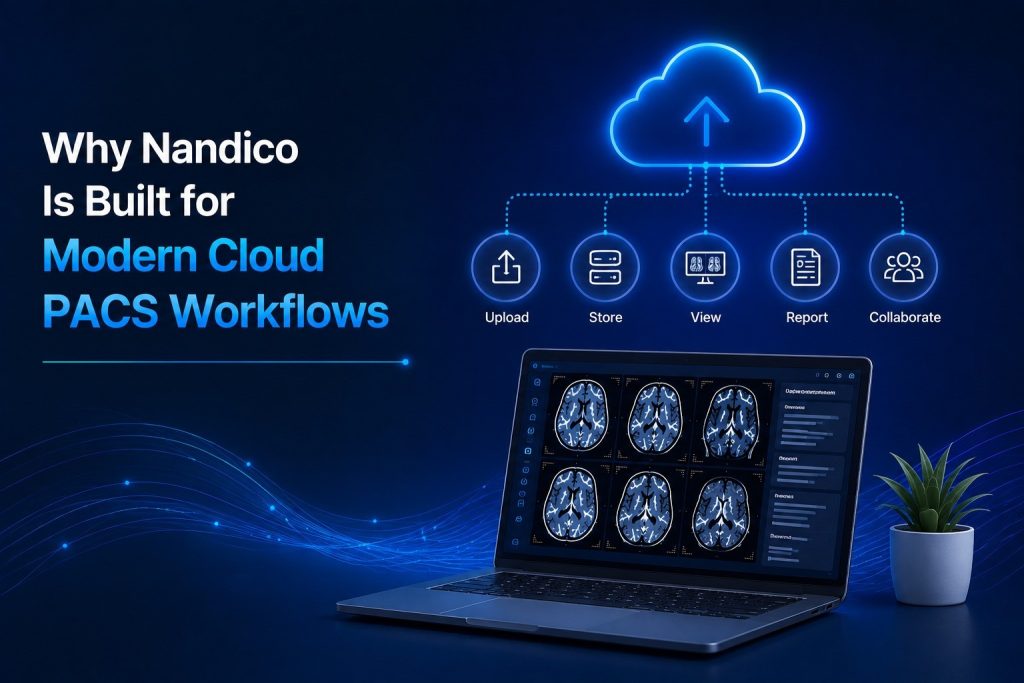
Why Nandico Is Built for Modern Cloud PACS Workflows
Nandico focuses on simplifying medical imaging workflows through cloud-based PACS technology.
Its solutions cover different healthcare environments, including hospitals, medical colleges, diagnostic centres, radiologists, and teleradiology companies.
For institutions, Nandico combines cloud PACS with capabilities such as HIS integration, DICOM viewing, reporting, data management, and remote access. For teleradiology workflows, its platform focuses on high-resolution image viewing, centralized case management, remote reporting, and customizable reporting tools.
This approach is important because modern PACS is no longer simply an image storage system.
It has become part of the larger radiology workflow.
The right platform should help connect imaging, reporting, communication, storage, and accessibility in a practical way.
Final Thoughts
Choosing the Best Cloud PACS Software in India requires looking beyond a long list of features.
A strong solution should support the complete imaging workflow—from receiving and viewing studies to reporting, storing, retrieving, and sharing them.
Hospitals and diagnostic centres should pay particular attention to DICOM viewer performance, cloud accessibility, reporting capabilities, integration, workflow management, scalability, security, storage, and user experience.
Nandico brings these requirements together through its cloud-based PACS solutions designed for modern radiology environments. By focusing on accessibility, workflow efficiency, reporting, integration, and digital medical imaging management, Nandico provides healthcare organizations with a technology platform built around the way radiology is increasingly practiced today.
Before choosing any PACS, evaluate your current workflow, future requirements, user needs, and technology environment. The right decision is the one that supports your organization not just today, but as your imaging workload and healthcare network continue to grow.
FAQs
The right cloud PACS depends on an organization’s workflow, imaging volume, integration requirements, reporting needs, scalability, and budget. Healthcare providers should compare these factors rather than selecting software based only on price or the number of features.
Important features include a reliable DICOM viewer, cloud accessibility, reporting tools, HIS/RIS integration, centralized workflow management, data storage, security controls, scalability, digital sharing, and technical support.
Yes. Cloud PACS can support hospitals, diagnostic centres, medical colleges, radiologists, and teleradiology organizations by providing centralized access to medical imaging and supporting remote workflows.
Nandico’s institutional PACS supports integration with HL7-compliant HIS systems, helping healthcare organizations access patient information and reduce manual intervention within the imaging workflow.
Cloud-based PACS can provide flexible access to medical images, support remote reporting, reduce dependence on local infrastructure, simplify collaboration, and make it easier for healthcare organizations to scale their imaging workflows