
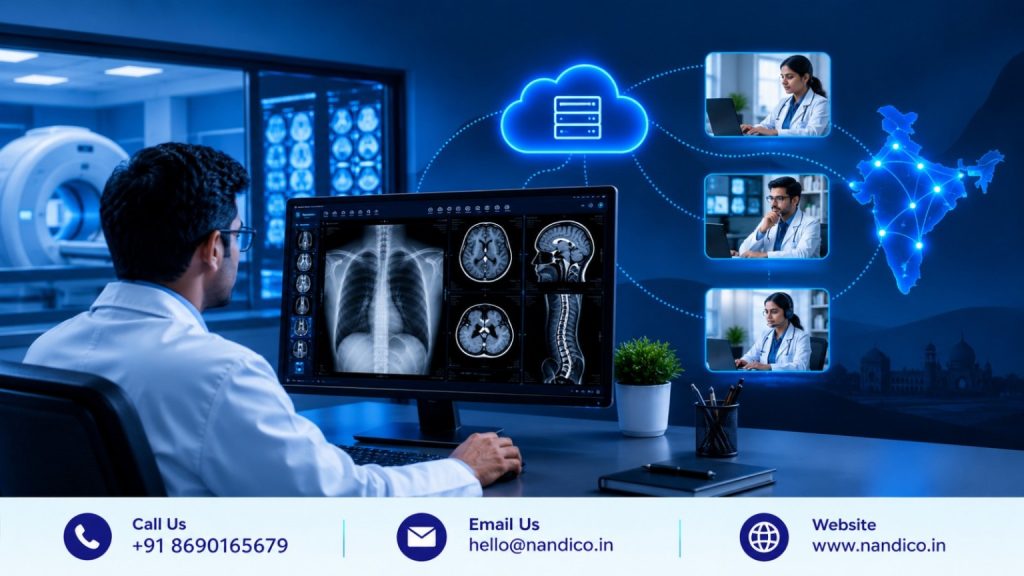
Radiology is no longer limited to a radiologist sitting inside the same hospital where a scan is performed. Today, diagnostic centres can send imaging studies to radiologists working from another city, state, or even location. This has made remote reporting an important part of modern healthcare delivery.
But successful teleradiology requires more than sending medical images from one location to another.
Radiologists need fast access to imaging studies, a reliable DICOM viewer, patient information, reporting tools, case management, and a workflow that allows them to work efficiently from anywhere. Diagnostic centres and teleradiology companies, meanwhile, need centralized control over cases, users, reporting status, and communication.
This is why choosing the Best Teleradiology Software in India requires careful evaluation.
A good teleradiology platform should connect image viewing and reporting into a practical workflow instead of forcing healthcare teams to depend on multiple disconnected systems.
For organizations looking to improve remote reporting, understanding the essential features can make the software selection process much easier.
What Is Teleradiology Software?
Teleradiology software is a digital platform that enables radiologists to access, review, interpret, and report medical imaging studies remotely.
It is commonly used for X-rays, CT scans, MRI studies, and other DICOM-based imaging examinations.
A typical remote reporting workflow involves:
- A diagnostic centre performs an imaging study.
- The imaging data is transferred to the teleradiology platform.
- The radiologist accesses the case remotely.
- The images are reviewed through a DICOM viewer.
- The radiologist prepares the report.
- The completed report is made available to the relevant healthcare team.
The quality of this entire process depends heavily on the software supporting it.
If images load slowly, patient information is difficult to access, reporting requires separate applications, or case status is difficult to track, remote reporting can become unnecessarily complicated.
Why Remote Reporting Needs Specialized Software
Remote radiology has different requirements from a conventional on-site reporting environment.
When a radiologist works inside a hospital, they may already have access to local systems, hospital networks, workstations, and staff. Remote reporting removes some of those conveniences.
The software therefore needs to provide the digital infrastructure required to recreate an efficient workflow from another location.
The right platform should make it possible to:
- Access cases remotely
- View DICOM images efficiently
- Review current and previous studies
- Access relevant patient information
- Prepare reports
- Track reporting status
- Communicate with diagnostic centres
- Manage multiple cases
- Support different radiologists and centres
Nandico’s Teleradiology PACS is designed specifically for radiologists and teleradiology companies reporting cases remotely for diagnostic centres. Its platform combines cloud-based PACS, DICOM viewing, centralized case tracking, and reporting capabilities.
Key Features to Look for in the Best Teleradiology Software in India
1. Fast and Reliable DICOM Viewing
The DICOM viewer is at the heart of remote radiology.
Radiologists cannot report a study efficiently if images take too long to load or if navigating through large CT and MRI studies becomes difficult.
When evaluating teleradiology software, look at:
- Image loading speed
- High-resolution image display
- DICOM compatibility
- Zooming and panning
- Image scrolling
- Window and level controls
- Measurements
- Multiplanar viewing
- Previous-study comparison
- Performance with large studies
Nandico provides a cloud-based DICOM viewer designed for remote reporting, with high-resolution image viewing and compression intended to support faster access to imaging studies.
The objective should always be to make image interpretation feel as natural as possible, even when the radiologist is not physically present at the diagnostic centre.
2. Cloud-Based Remote Access
A major advantage of teleradiology software is the ability to work beyond a fixed workstation.
Radiologists may need to report cases from home, while travelling, during off-hours, or from another healthcare facility.
Cloud-based access can make this workflow more flexible.
However, remote access should not simply mean opening a website. The platform should provide an environment where authorized users can access the cases and tools they actually need.
Nandico’s teleradiology PACS uses a cloud-based approach and a zero-footprint DICOM viewer, allowing radiologists to access their reporting workflow remotely without depending on lengthy local software installation.
This can be especially useful for teleradiology companies managing radiologists across different locations.
3. Integrated Reporting Tools
Viewing images and writing reports are closely connected activities.
If radiologists have to move between several applications to complete a case, the workflow can become slower and less convenient.
Therefore, reporting capabilities should be one of the first features to evaluate when comparing teleradiology platforms.
Look for:
- Customizable report templates
- Report shortcuts
- Easy editing
- Standardized formats
- Dictation support
- Autocomplete features
- Access to previous information
- Simple report finalization
Nandico provides an integrated reporting platform compatible with MS Word, along with customizable templates and shortcuts. The platform also supports typing or dictation for remote reporting.
This type of integration helps keep image review and report creation within the same workflow.
4. Centralized Case Management
Remote reporting can involve hundreds or thousands of cases across multiple diagnostic centres.
Without centralized case management, it becomes difficult to know which cases are pending, assigned, reported, or awaiting action.
A centralized dashboard can help administrators and teleradiology companies monitor case progress more effectively.
Important capabilities may include:
- Case assignment
- Reporting status
- Radiologist management
- Centre management
- Case tracking
- Administrative controls
- Workflow visibility
Nandico provides a dedicated centralized dashboard for remote tracking of case progress and aims to reduce communication delays between the different participants in the reporting workflow.
For growing teleradiology operations, centralized visibility can become increasingly important.
5. Support for Multiple Radiologists and Centres
Teleradiology companies often work with several diagnostic centres and radiologists.
A software platform should therefore be able to support the organization’s actual operating model.
Before purchasing, consider:
- How many centres can be connected?
- How many radiologists can be added?
- Can different users have different permissions?
- Can administrators monitor multiple locations?
- Can the system support increasing case volumes?
Nandico offers plans designed for different operational sizes, from a single centre and radiologist to larger setups involving multiple centres and radiologists.
This makes scalability an important factor when selecting software.
6. Smooth Workflow Between Diagnostic Centres and Radiologists
Teleradiology involves more than the radiologist.
A diagnostic centre performs the examination, manages the patient, sends the study, and receives the report. The radiologist reviews the images and prepares the interpretation.
The software should connect these stages.
An effective workflow can help reduce unnecessary communication and manual follow-ups.
Instead of asking:
“Has this case been reported?”
the centre should be able to track its status through the platform.
Instead of repeatedly searching for patient information, the radiologist should have relevant case details available alongside the study.
This is where a connected teleradiology PACS can provide more value than a basic image-transfer tool.
7. Patient and Previous Study Access
Radiology interpretation often requires more than viewing the current examination.
Previous imaging can be important when assessing changes over time.
Therefore, teleradiology software should make it practical for authorized radiologists to access relevant patient information and previous studies where available.
Nandico’s broader PACS platform is designed to connect imaging workflows with patient information and support access to relevant records within institutional environments.
The exact information available will depend on the organization’s integration and workflow, but the principle remains the same: the software should help radiologists work with the information required for the case.
8. Easy Installation and Onboarding
Complex software installation can delay the adoption of a teleradiology system.
This becomes even more important when a company is connecting multiple diagnostic centres.
A cloud-based platform with a simple deployment process can reduce technical barriers.
Nandico states that its zero-footprint remote-access DICOM viewer can be installed quickly, with the platform describing installation in less than 30 minutes for its listed plans.
For organizations moving from traditional systems to cloud-based teleradiology, ease of onboarding can make the transition smoother.
9. Security and Controlled Access
Remote access also means healthcare organizations must take access control seriously.
Medical images contain sensitive patient information. A teleradiology platform should therefore provide appropriate mechanisms for controlling who can access cases and patient data.
When evaluating software, ask providers about:
- User authentication
- Role-based access
- Data protection
- Cloud infrastructure
- Backup practices
- Patient privacy
- Administrative controls
- Data retention
The software should make remote access convenient without treating security as an afterthought.
Healthcare organizations should also evaluate the provider’s security practices against their own regulatory, contractual, and organizational requirements before deployment.
10. Reporting Speed and Workflow Efficiency
Remote reporting is often adopted to make radiology services more accessible and efficient.
But simply moving reporting online does not automatically improve workflow.
The software should reduce unnecessary steps.
For example, a radiologist should ideally be able to open a case, review the images, access relevant information, prepare the report, and complete the case without repeatedly switching between unrelated systems.
Nandico positions its teleradiology PACS around this connected workflow, combining image viewing, centralized case management, and reporting capabilities in a cloud-based environment.
This is particularly relevant for organizations handling high volumes of remote cases.
How to Choose the Best Teleradiology Software for Your Organization
There is no single software configuration that fits every healthcare organization.
A small diagnostic centre may need a simple remote reporting setup with one or a few radiologists.
A teleradiology company may require multiple centres, many radiologist accounts, centralized administration, reporting management, and scalable storage.
A hospital network may have additional requirements around HIS integration and departmental workflows.
Therefore, start by understanding your own requirements.
Identify Your Reporting Volume
Estimate how many cases your organization handles every month and how quickly that number may grow.
Understand Your User Structure
Determine how many radiologists, technicians, administrators, centres, and referring clinicians will use the system.
Test the DICOM Viewer
Do not judge the viewer only by screenshots. Test real studies and evaluate image loading, navigation, and available tools.
Review the Reporting Workflow
Check how easily radiologists can create, edit, finalize, and manage reports.
Evaluate Integration
If you already use HIS, RIS, or other healthcare software, understand how the teleradiology platform can fit into your existing environment.
Check Scalability
Your software should be able to accommodate growth without creating unnecessary technical complications.
Ask for a Demonstration
A product demonstration can help your team understand whether the platform actually fits its daily workflow.
Why Nandico Fits Modern Remote Reporting Workflows
Nandico was developed around the practical requirements of digital radiology and remote reporting.
Its Teleradiology PACS is specifically positioned for radiologists and teleradiology companies that report diagnostic-centre cases remotely. The platform brings together cloud-based image access, a DICOM viewer, centralized dashboard, and reporting tools.
Nandico also focuses on reducing the complexity traditionally associated with teleradiology software.
Its platform emphasizes remote access, simplified installation, centralized case tracking, and integrated reporting. For organizations working across multiple centres, its available plans also provide different levels of radiologist and centre support.
The broader Nandico ecosystem also includes PACS solutions for institutions, making it possible to address different radiology environments through cloud-based technology.
This matters because modern teleradiology is not simply about transferring a scan.
It is about creating a connected workflow between diagnostic centres, radiologists, clinicians, and patients.
Final Thoughts
Choosing the Best Teleradiology Software in India should begin with the actual needs of your remote reporting workflow.
A useful platform should provide reliable DICOM viewing, cloud access, integrated reporting, centralized case management, scalable user and centre support, secure access, and an easy-to-manage workflow.
The right solution can help radiologists work remotely without losing the structure and visibility required for efficient reporting.
Nandico brings these requirements together through its cloud-based Teleradiology PACS, with features focused on remote image viewing, reporting, case tracking, and flexible access.
For healthcare organizations evaluating teleradiology software, the best approach is to compare platforms based on actual workflows rather than marketing claims alone. Test the viewer, understand the reporting process, evaluate integration and scalability, and consider how the system will support your organization as remote reporting requirements grow.
FAQs
1. What is the Best Teleradiology Software in India?
The right teleradiology software depends on factors such as image volume, number of radiologists, connected diagnostic centres, reporting requirements, integration needs, scalability, and budget. Organizations should evaluate these factors before selecting a platform.
2. What features should teleradiology software have?
Important features include a reliable DICOM viewer, cloud-based remote access, reporting tools, centralized case management, user management, secure access, scalability, and integration with existing healthcare systems where required.
3. Can radiologists report cases remotely using Nandico?
Yes. Nandico’s Teleradiology PACS is designed for radiologists and teleradiology companies reporting cases remotely for diagnostic centres. It provides cloud-based access, DICOM viewing, centralized case tracking, and reporting capabilities.
4. Does Nandico provide a DICOM viewer for teleradiology?
Yes. Nandico’s Teleradiology PACS includes a cloud-based, zero-footprint DICOM viewer designed for remote image viewing and reporting.
5. Is Nandico suitable for teleradiology companies managing multiple centres?
Nandico offers different plans supporting multiple centres and radiologists, including configurations designed for larger teleradiology operations. The appropriate plan depends on the organization’s number of centres, radiologists, case volume, and storage requirements.
#Nandico #Teleradiology #RadiologySoftware